
Want more leads from Google in 2026? Core Web Vitals are no longer optional. If your Largest Contentful Paint (LCP) is above 2.5 seconds, you’re losing rankings, conversions, and trust.
This practical, WordPress‑focused guide covers basic to advanced fixes, exactly how I implement them for client sites. Follow step‑by‑step, or skip ahead to the Advanced section if you already know the basics.
👉 Need this fixed fast? Hire a WordPress performance expert
What Are Core Web Vitals (2026 Update)
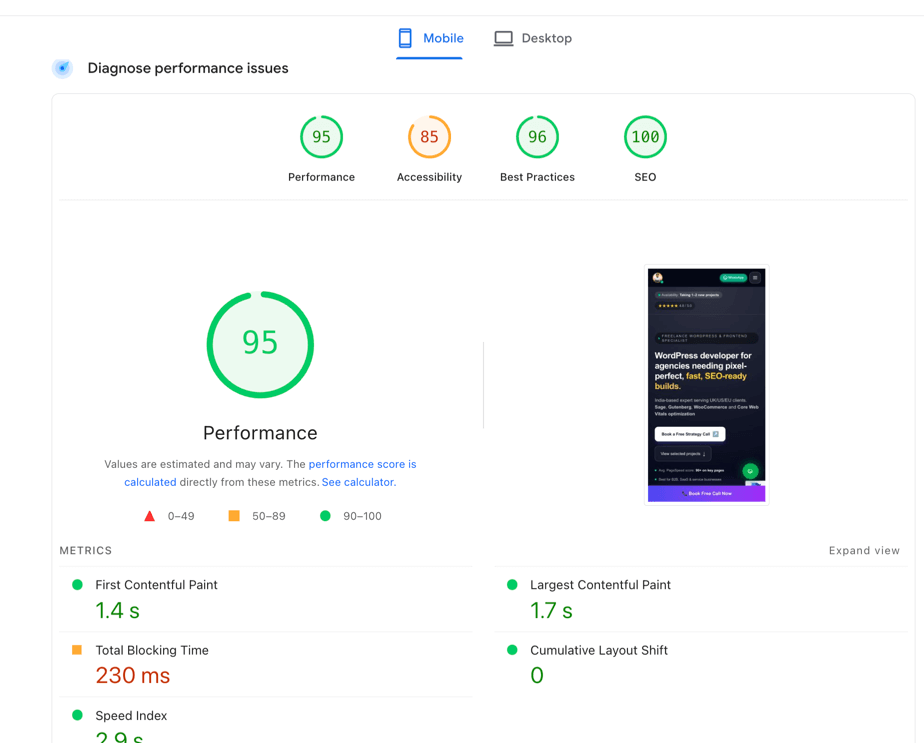
Google still measures:
- LCP (Largest Contentful Paint) – Target: ≤ 2.5s
- INP (Interaction to Next Paint) – Target: ≤ 200ms (replaced FID)
- CLS (Cumulative Layout Shift) – Target: ≤ 0.1
⚠️ In 2026, mobile CWV is the primary ranking signal.
Why LCP Is the #1 Problem on WordPress Sites
Most WordPress sites fail LCP because of:
- Heavy themes (too much CSS & JS)
- Slow hosting or misconfigured servers
- Unoptimized hero images
- Render‑blocking scripts (page builders, sliders)
- No caching or wrong caching
If your homepage hero image loads late, your LCP fails.
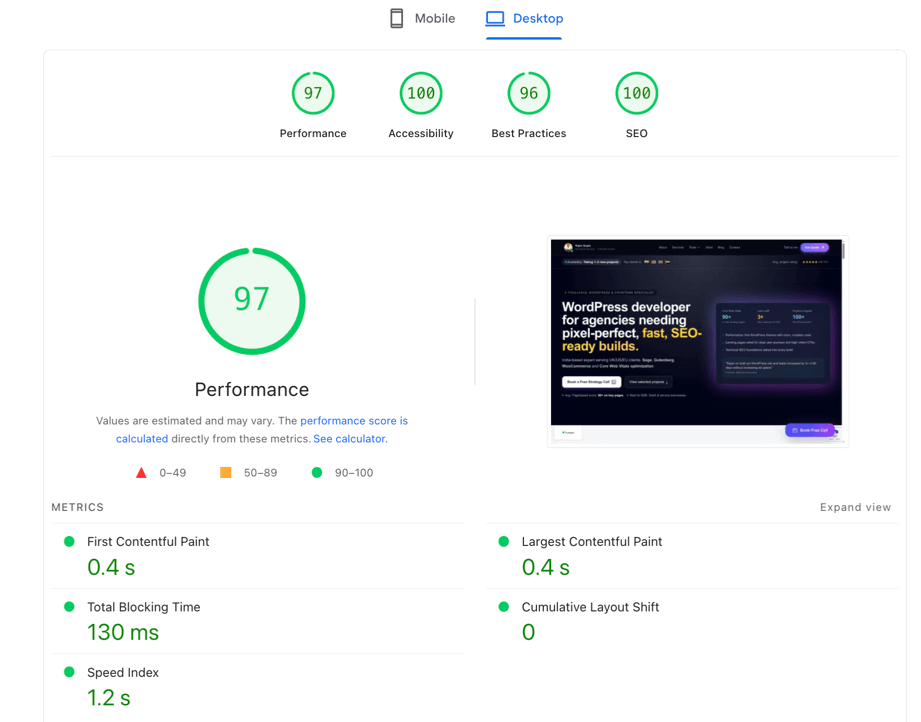
Tools You Must Use (Free)
Use all three for accuracy:
- PageSpeed Insights (real + lab data)
- Chrome DevTools → Performance tab
- Search Console → Core Web Vitals
👉 Pro tip: Always test logged‑out, incognito, mobile first.
BASIC LEVEL FIXES (Beginner‑Friendly)
These fixes alone can improve LCP by 30–50%.
1. Choose the Right Hosting (Non‑Negotiable)
Avoid cheap shared hosting.
✅ Recommended stack:
- LiteSpeed / NGINX
- NVMe SSD
- PHP 8.2+
- Server‑side caching
👉 Want hosting advice for your traffic level? Ask me
2. Enable Page Caching
Use one caching solution only.
Best options:
- LiteSpeed Cache (LiteSpeed servers)
- WP Rocket
- W3 Total Cache (advanced users)
Enable:
- Page cache
- Browser cache
- GZIP / Brotli
3. Optimize the LCP Image (MOST IMPORTANT)
Usually:
- Hero banner image
- Featured image
Do this:
- Convert image to WebP / AVIF
- Resize exactly (no oversized images)
- Preload the LCP image
<link rel="preload" as="image" href="hero.webp" fetchpriority="high">
⚠️ Do NOT lazy‑load the LCP image.
4. Use a Lightweight Theme
Avoid bloated multipurpose themes.
Recommended:
- GeneratePress
- Astra
- Kadence
- Custom Sage / Tailwind themes (best)
👉 Need a custom fast theme? Get a quote
INTERMEDIATE LEVEL FIXES
Now we go deeper.
5. Remove Render‑Blocking CSS
Fix:
- Generate critical CSS
- Load remaining CSS asynchronously
If using WP Rocket:
✔️ Optimize CSS Delivery
6. Defer & Delay JavaScript
Delay scripts that are not needed immediately:
- Chat widgets
- Analytics
- Sliders
- Popups
Example:
<script src="script.js" defer></script>
Test carefully to avoid breaking UX.
7. Use a CDN (Cloudflare Recommended)
Benefits:
- Faster TTFB
- Image optimization
- HTTP/3
Enable:
- Cache Everything (static)
- Brotli
- Polish / Mirage (optional)
ADVANCED LEVEL FIXES (PRO WORDPRESS OPTIMIZATION)
This is where most developers stop. This is where I start.
8. Fix TTFB (Server Response Time)
Target: < 800ms
Advanced fixes:
- Object caching (Redis)
- Optimized MySQL queries
- Remove unused plugins
- Custom WP_Query optimizations
Slow admin panel? That’s TTFB too.
9. Font Optimization (Huge LCP Impact)
Best practice:
- Self‑host fonts
- Use
font-display: swap - Preload primary font
<link rel="preload" href="font.woff2" as="font" type="font/woff2" crossorigin>
10. Reduce DOM Size
Google prefers:
- < 1,500 DOM nodes
Fix:
- Remove unnecessary wrappers
- Avoid page builders where possible
- Use Blade / custom templates
11. Above‑the‑Fold HTML First
Critical rule:
Browser must see hero content before JS executes.
Techniques:
- Inline critical HTML
- Avoid sliders
- Static hero instead of JS animations
12. Advanced Image Strategy
- Use
fetchpriority="high"for LCP - Use
content-visibility: autofor below‑fold sections
section {
  content-visibility: auto;
}
WordPress Core Web Vitals Checklist (2026)
✅ LCP < 2.5s
✅ INP < 200ms
✅ CLS < 0.1
✅ TTFB < 800ms
✅ Mobile passed
Common Mistakes to Avoid
❌ Too many optimization plugins
❌ Lazy‑loading LCP image
❌ Heavy sliders
❌ Cheap hosting
❌ Ignoring mobile
Need Guaranteed CWV Pass?
Get Your WordPress Site Optimized by an Expert
I specialize in:
- Core Web Vitals optimization
- LCP under 2.5s guarantee
- WooCommerce performance
- Custom themes (ACF / Sage / Blade)
👉 Free performance audit (limited slots)
👉 WhatsApp / Email support
Contact now and start ranking faster.

Rajan Gupta
FullStack Web DeveloperRajan Gupta is a passionate web developer and digital creator who loves sharing insights on WordPress, modern web design, and performance optimization. When not coding, they enjoy exploring the latest tech trends and helping others build stunning, high-performing websites.